Register, stock and cash control — in Thai, for ฿249 a month
POSitive runs on an ordinary Android tablet and network printer. Cashiers and cooks use it in Thai, the owner in any language they like. You pay per venue, not per tablet or per employee.
- Cash, card and PromptPay QR in one receipt, split, with tips
- Grab orders as dishes from your menu, with the Grab promo worked out against your prices
- Keeps selling when the internet drops; sales go up when it’s back
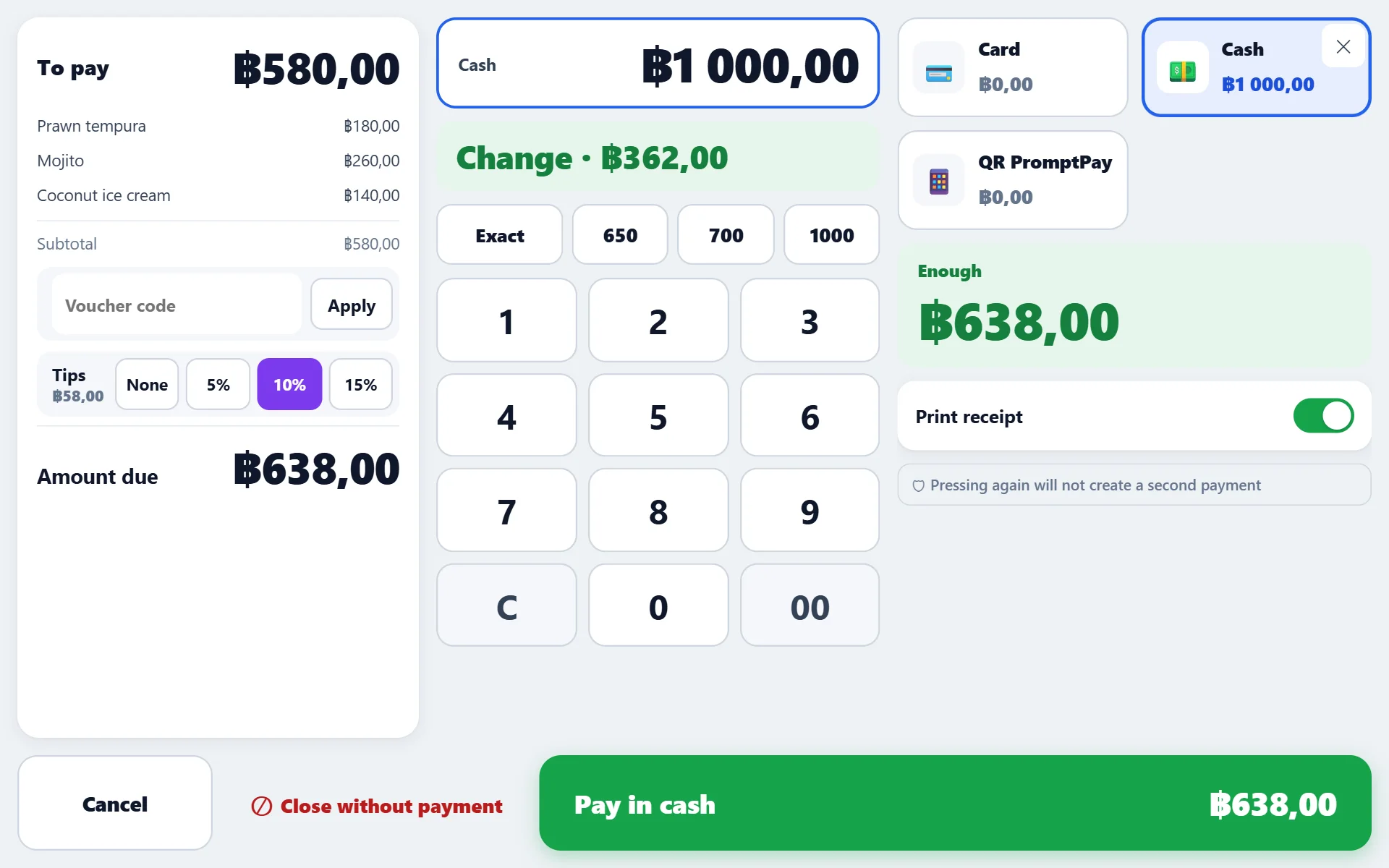
Grab orders without doing the maths
Pick dishes from your menu, enter the order number and what the guest paid — the register shows at once how far that is from your menu prices: the Grab promo or markup, in baht and percent. The order goes to the kitchen, ingredients come off stock like any sale, and the takings show up in reports by channel.
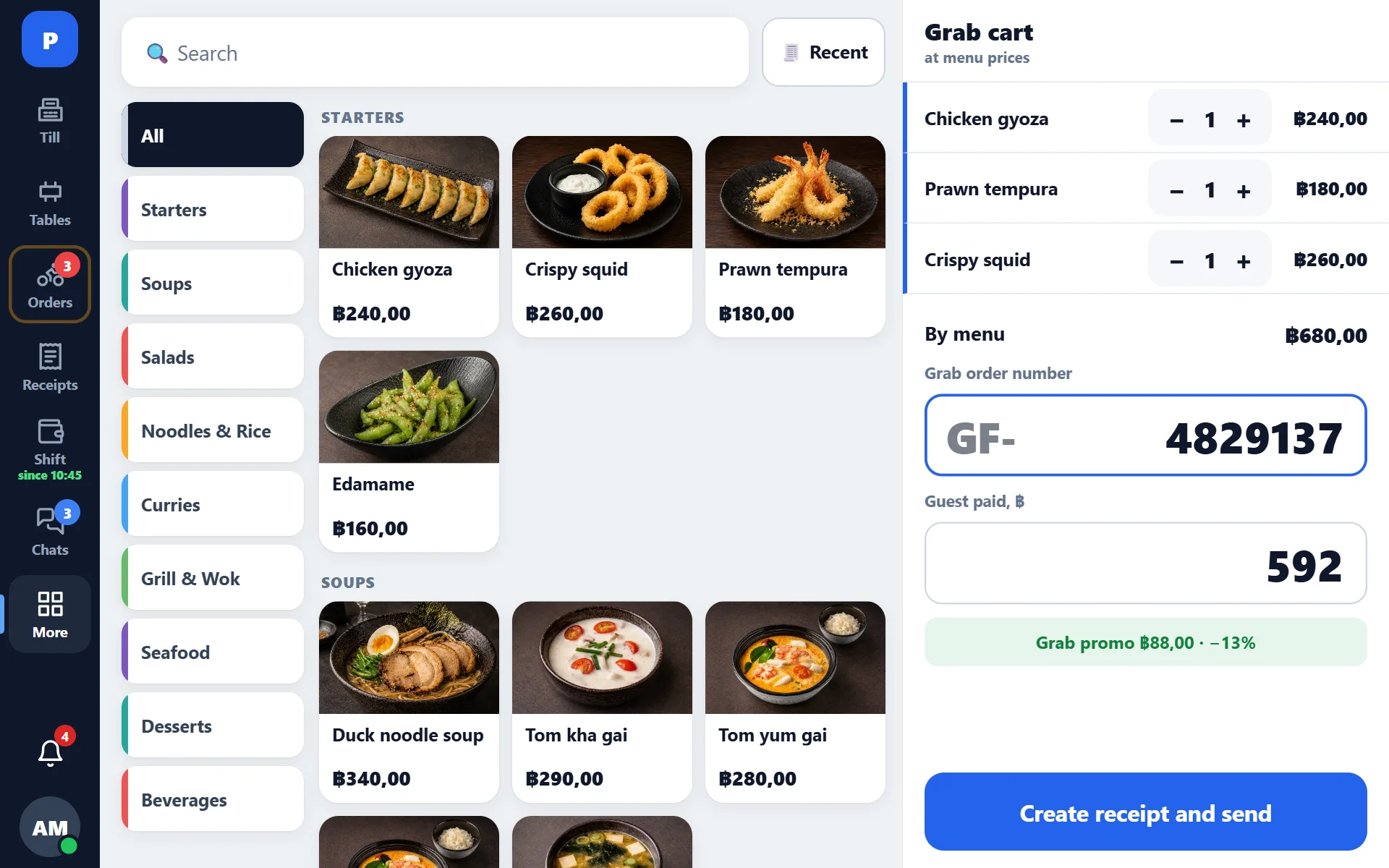
A kitchen display in Thai
Orders from the register, your website and Grab line up in one queue on the kitchen tablet: Thai buttons and labels, waiting time for each order, a mark when it’s ready. Dish names on screen are in English; the kitchen ticket prints in Thai if Thai names are entered in the menu.
Questions Thai owners ask
Is it in Thai?
The register and the kitchen display are fully in Thai; dish names on screen are in English. Each tablet switches between Thai, English and Russian with one tap without affecting the others. Kitchen tickets print in Thai if Thai names are entered in the menu. The back office isn’t fully translated into Thai yet: some screens still show Russian labels.
What hardware do I need?
An ordinary Android tablet and an ESC/POS receipt printer on Wi-Fi or the network, 58 or 80 mm paper. The cash drawer connects to the printer. Receipts go to the printer as an image, so Thai letters print cleanly even on cheap printers. Without printing, the register also runs in a browser, for example on an iPad.
How much does it cost? Is there a fee per tablet?
You pay per venue: the register is ฿249 a month, with inventory and the kitchen display ฿449, everything ฿749. As many tablets and staff as you need — the price stays the same. Paying for a year gives 12 months for the price of 10. The subscription can be paid by card or Thai QR. 14 days free, no card needed.
Which payment methods does it take?
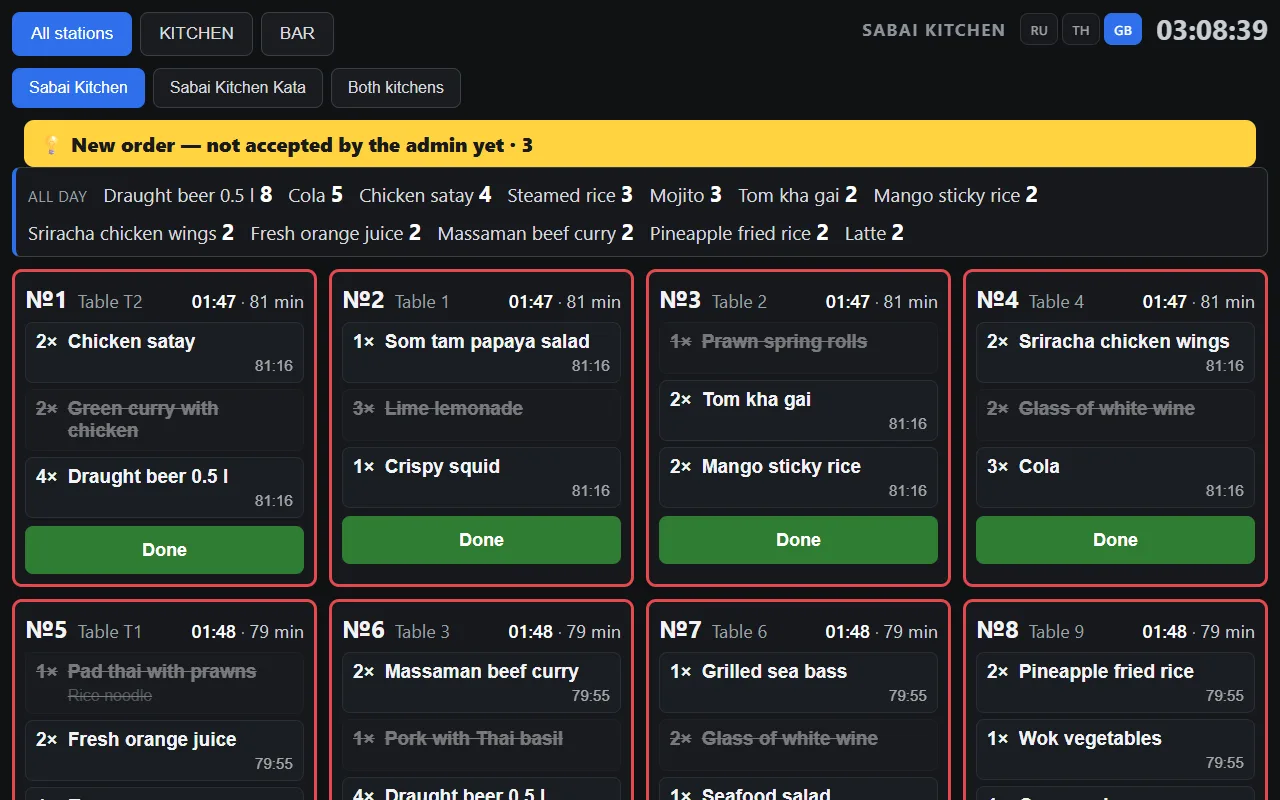
Cash, card and PromptPay QR, and several can be combined in one receipt. With Stripe connected, the register shows the guest a Thai QR for the exact amount — any Thai bank app can scan it. The register works out change and tips, and tapping “Pay” twice won’t charge twice.
What about Grab orders?
A Grab order is entered at the register as dishes from your menu, with the order number and what the guest paid. The register shows the difference from your menu prices — the Grab promo or markup — in baht and percent, and ingredients come off stock like any other sale. Orders aren’t pulled from the Grab app: they are entered by hand.
Is there VAT and a tax invoice?
VAT 7% is configurable, included in the price or added on top, and the VAT line prints on the receipt. A full tax invoice (ใบกำกับภาษีเต็มรูป) and e-Tax Invoice are not issued by the system yet. If your venue needs them, write to us before you start.
Can satang be dropped from the total?
Yes, the total can be rounded to whole baht: down in the guest’s favour, up or to the nearest. The rounding prints as its own line on the receipt.
What if the internet goes down?
The register keeps selling takeaway: sales are stored on the tablet and go to the server by themselves, without duplicates, when the connection returns. Until then receipts don’t print, and tables and QR payment aren’t available.
How do I protect myself from mistakes and dishonest staff?
A void after the kitchen, a discount, a manual price and an unpaid close are logged with the employee’s name and time. Receipts can’t be deleted and the log can’t be edited afterwards. The register shows how much cash should be in the drawer.
Can I see sales on my phone?
Yes, in Plus — an Android app, or in your phone’s browser: revenue, average check, receipts, shifts and the kitchen display for each venue and for all of them together.
Can you move my menu from my current system?
Yes, we move dishes, categories and prices. The 14-day free period is enough to try the system on your own menu.
How POSitive differs from a typical POS
| Typical POS | POSitive | |
|---|---|---|
| Price | Often per tablet, or in packages with add-ons | Per venue — as many tablets and staff as you need |
| Food cost | Often a price typed in by hand | From what you actually paid: a running average across deliveries, updated with each one |
| Starting inventory | Usually switched on for every product at once | A switch on each product: start with the bar or ten expensive items |
| Modifiers | Usually change only the price | Change the price and deduct ingredients by their own recipe |
| Voids and discounts | A receipt can often be deleted | Receipts can’t be deleted; every action carries the employee’s name |
| Language | Usually one for the whole venue | Thai, English, Russian — each tablet its own |
| Order at the register | Often needs a “Save” tap | Saved automatically with every change |
| Several venues | Often separate accounts | One account, combined reports, transfers between venues |
Also included
Inventory and food cost
Receipts, write-offs, stocktakes, prep items. A photo of a supplier invoice or a Makro receipt becomes a goods receipt (separate module).
Daha fazla →Your own receipt
Your logo, your own text and your venue’s QR on the receipt, with a preview before printing.
Daha fazla →Website orders
An order from your website arrives straight at the register; if nobody accepts it within 15 seconds, a signal lamp lights up.
Daha fazla →Reports
Sales by day, dish, employee and channel, ABC analysis, profit after food cost.
Daha fazla →Several venues
One login for all venues, combined reports, moving stock between venues.
Daha fazla →Updates by themselves
New register versions load automatically, and a backup is taken before every database change.
Daha fazla →Try it with your own menu
Open the demo without signing up or start 14 days free — no card needed.