Bought ready-made: cola, beer, water
How to sell what you buy ready-made without a recipe — the purchase price next to the sale price, margin at once, stock tracking only if you want it.
A can of cola, a bottle of beer, water, juice in a carton — nobody cooks them, you buy them and sell them as they are. Such items need no recipe: in the dish card switch the mode to “Bought ready-made” and enter what you pay the supplier per piece.
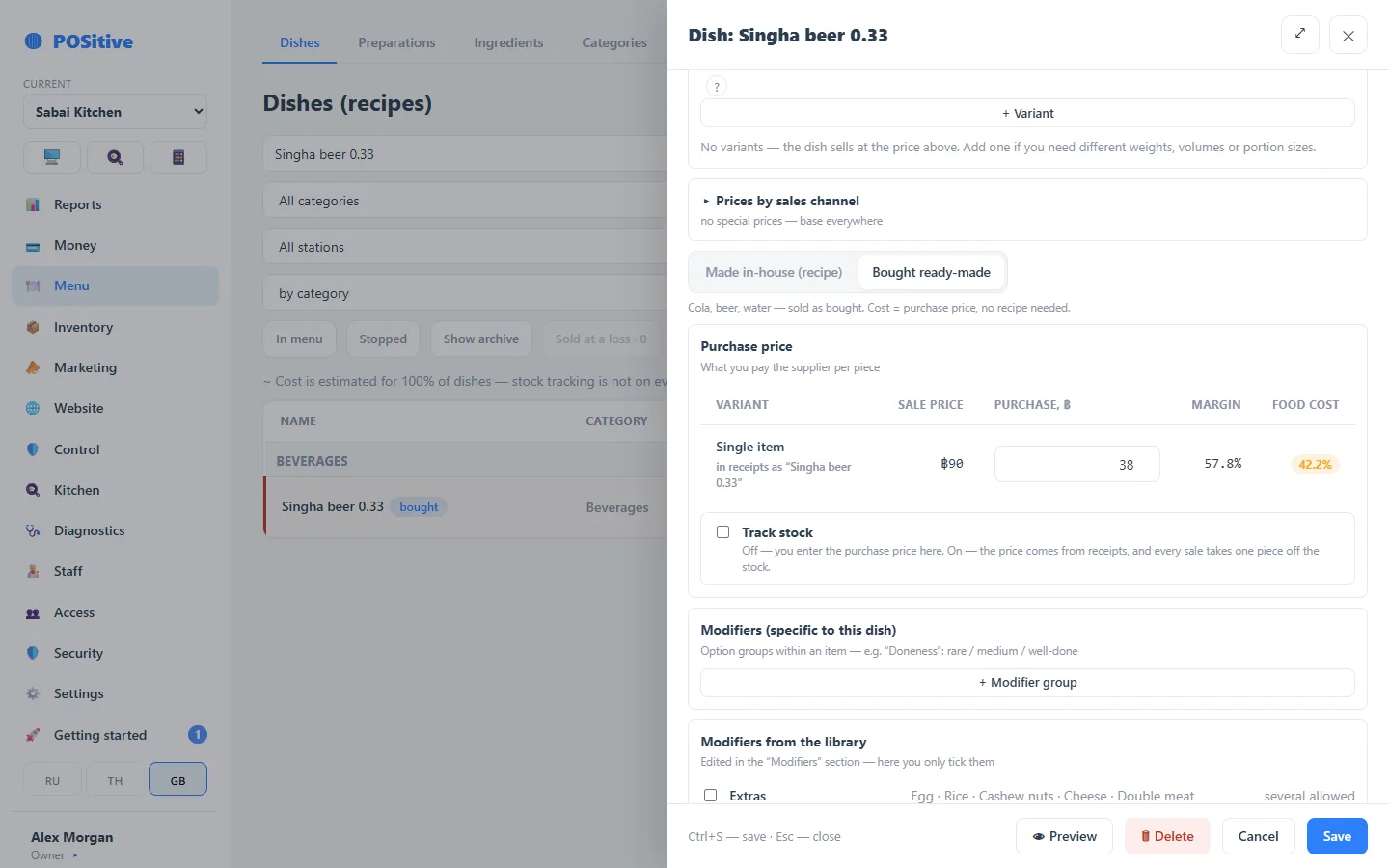
Add a new item
- Menu → Dishes → “+ Dish”.
- Name, category and sale price — as for any dish.
- Above the recipe, press “Bought ready-made”.
- In the “Purchase price” block enter the supplier price per piece — margin and food cost are calculated straight away.
- “Save” (or Ctrl+S).
POSitive creates the stock product by itself — with the same name, counted in pieces. Under this name the item shows up in receipts, stock balances and stock counts. There is no need to visit “Ingredients” separately.
At the register a bought-in item is an ordinary tile and sells like any dish.
Switch an existing dish
If the item already exists as a dish, open its card and switch the mode. Nothing has to be recreated: the register button, the link to the website and Grab orders, and the sales history all stay as they were.
- if the recipe was exactly one piece of a product (that is how cola was often set up before), POSitive takes that product together with its purchase price;
- if the recipe is a real one, POSitive asks first whether to replace it with a single item.
Enter purchase prices for all at once
On the Dishes screen press the “Bought ready-made” filter — only bought-in items remain, and the “Cost” column turns into a purchase price field. Type the price, press Enter or move to the next row — it is saved and the margin is recalculated.
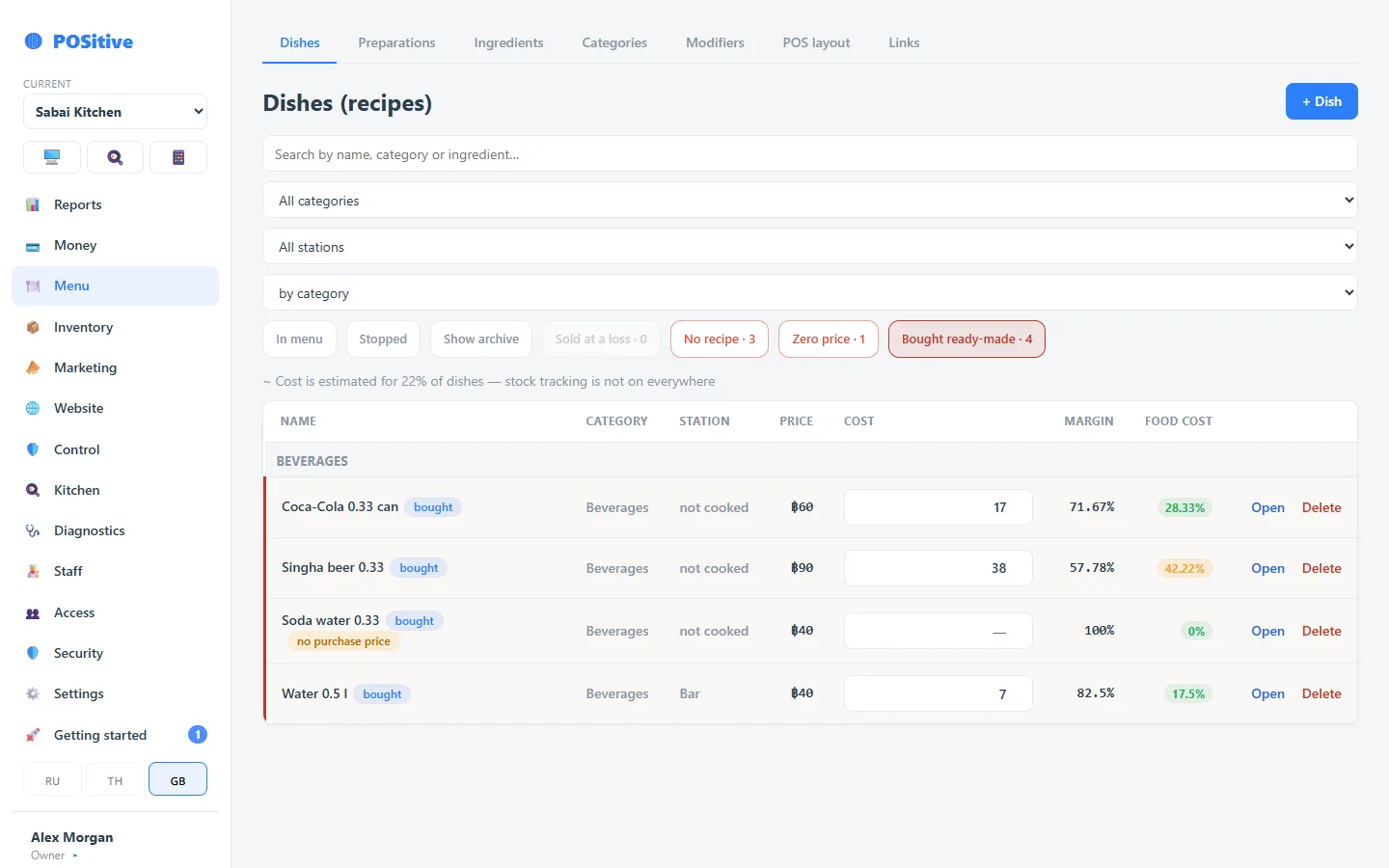
The “no purchase price” mark means zero cost: in reports such an item looks more profitable than it really is.
Only staff who are allowed to see costs can see the purchase price field.
Track stock or not
“Track stock” is off. You enter the purchase price yourself, nothing is taken off the stock, and the register never stops the item because of a stock balance. That is enough to see the real margin.
Turn it on if you want to know how many cans are left and whether beer goes missing:
- the purchase price is no longer typed by hand — it comes from a receipt, and the average price is recalculated with every delivery;
- every sale takes one piece off the stock;
- the item takes part in stock counts.
If stopping dishes by stock is on in the settings, a tracked item with zero stock cannot be sold at the register. Enter the first receipt right after turning tracking on — the card reminds you.
Only staff with the “Switch ingredient tracking on and off” permission can change tracking.
What reports show
Cost is fixed at the moment of sale. A purchase price entered today shows up in the profit of sales from today on. Past receipts are not recalculated — otherwise a price rise would change last month’s profit after the fact.
What is not bought-in
Vodka by 50 ml and wine by the glass are not “bought ready-made”: the bottle is used up in portions. They need a recipe made of one product in millilitres, and the portion cost is then calculated from the product price.