Dated orders and orders by day
How to take an order for a set day and time, collect a deposit with a payment link, see the kitchen’s load two weeks ahead, work out what to cook and buy, and hand the order over with a receipt.
A dated order is something the client will collect or receive later: a cake in two days, dinner for 12 in five days, an event set, holiday pre-orders. Tab Clients & orders CRM → Dated orders. An order can be created directly or from an agreed request.
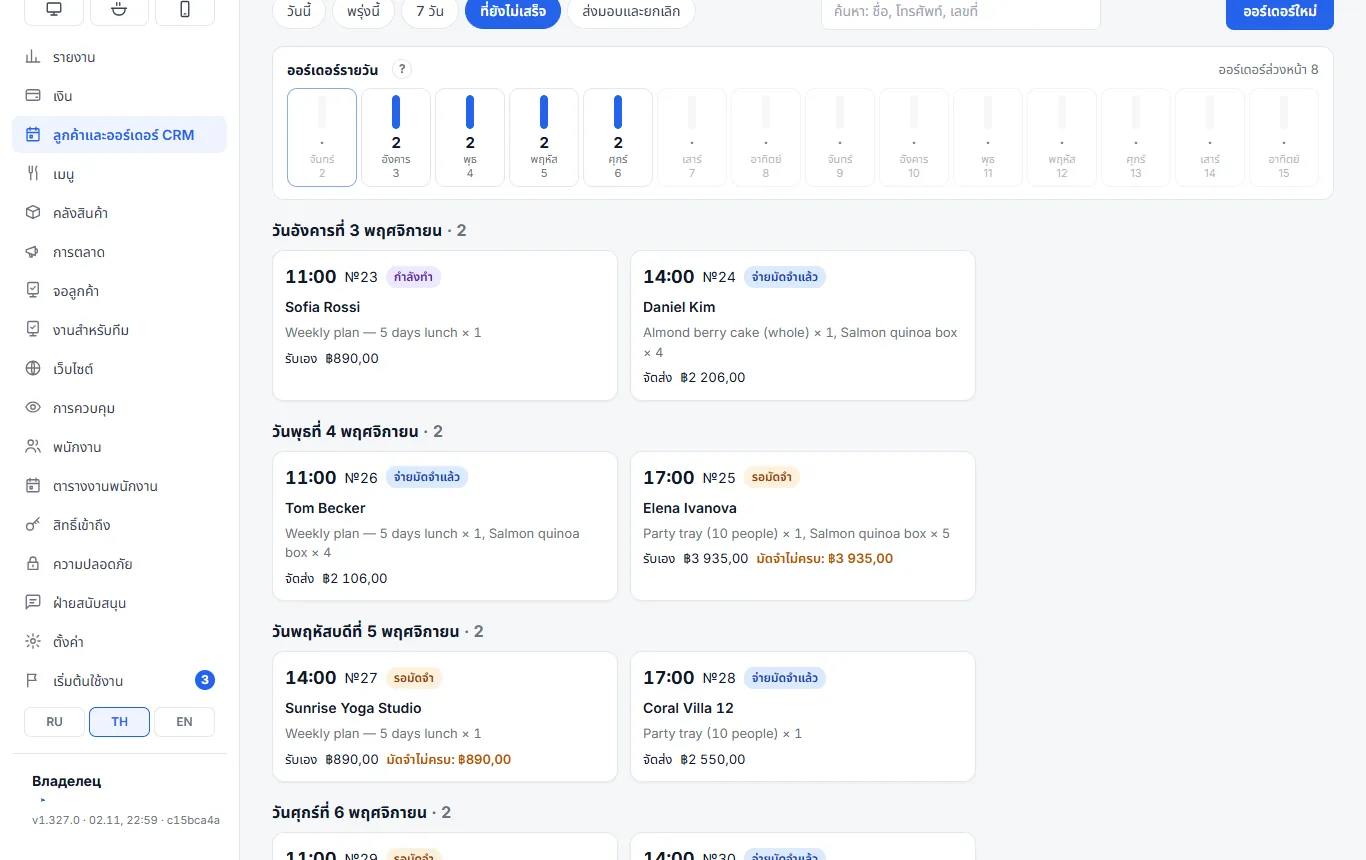
Orders by day
Above the list is a strip for the next 14 days: under each day, the number of orders not yet handed over or cancelled. On the right — how many orders are ahead in total. Tap a day to open its orders.
Use it when a client asks “can you do Saturday?”: you see which days the kitchen is already busy and where there is still room for a banquet or a large pre-order.
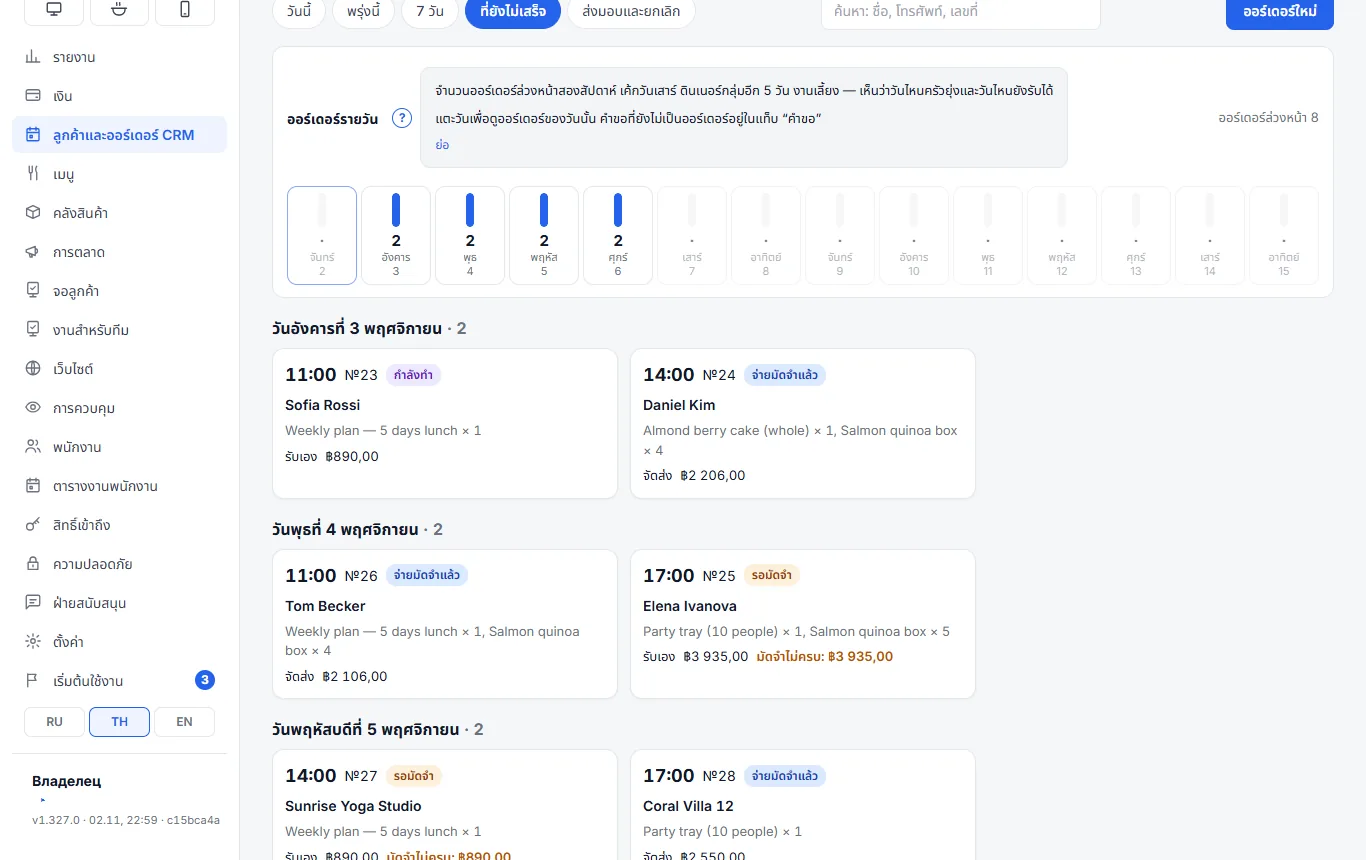
How to take an order
- Dated orders → New order.
- Client: phone and name. If the client has ordered before, you will see “Regular client: … · N orders”.
- When to hand over — date and time. How they receive it — pickup or delivery with an address and a delivery fee.
- Items — from the register menu. For dishes with required choices, pick the options; add a wish to an item — “inscription”, “no sugar”.
- Deposit, % — the default from settings, can be changed per order. At the bottom — the total at menu prices and how much has to be paid.
- Save.
The exact amount is calculated by the receipt at hand-over: tax and rounding work as for a normal sale.
Deposit
- By hand — “Take deposit” in the order card: method and amount. While less than required has been paid, the card shows “Deposit missing” in red and the order cannot go into work.
- With a payment link — the “Deposit link” block: card (Stripe), Thai QR, EX24 or a page to choose the method. Copy the link and send it to the client. Once paid, the deposit is recorded by itself within two minutes; “Check payment” tells you right away. The methods appear when online payments are connected: see Online payments.
Statuses
Awaiting deposit → Deposit paid → In progress → Ready → Handed over (or Cancelled). The card has “To work”, “Ready”, “Back to work”, “Edit” and “Repeat order”. A late order is marked overdue.
Hand-over happens at the register: Orders → Hand over. The register creates a receipt, applies the deposit and deducts stock by recipe. Only from that moment is the money revenue; until hand-over the deposit counts as the client’s money.
Cancelling requires a reason. The deposit can be refunded the same way it was paid, or kept as a penalty — kept amounts appear in the report.
What to cook and what to buy
| Tab | What it shows |
|---|---|
| To cook | the items of all orders not yet handed over in the period — how much of each to cook; printable for the kitchen |
| Purchasing | ingredients from the recipes of the period’s orders minus stock on hand: how much to buy and roughly for how much |
| Clients | order history, “orders most often”, notes, birthdays in the next 2 weeks; “New order for client” |
| Report | orders, handed over and cancelled, revenue from handed-over orders, average order, deposits held, channels, top clients and dishes, cancellation reasons |
Items without a recipe are not included in purchasing — the program lists them.
Settings
Clients & orders CRM → Settings:
- Default deposit, % — 100 means “deposit only”.
- Accept orders at least … hours ahead — 0 means no limit.
- Hand-over time for a new order by default.
- Telegram — notify about every new order and send a morning summary “to hand over today and tomorrow”. An empty chat means the venue chat from Settings → Telegram.
If something is wrong
| What you see | What to do |
|---|---|
| The order cannot be moved to work | the deposit is missing — take it or lower the % for this order |
| No “Deposit link” block | online payments are not connected or you cannot edit orders |
| “Paid, but no payment method assigned to the provider” | Settings → Money → links: assign a payment method to the provider |
| An order is missing from “Orders by day” | it is more than 14 days ahead, already handed over or cancelled |