The receipts screen at the register
Sales history right on the tablet: finding a receipt, its contents, reprinting, refunds.
It used to be that you had to go to the back office for any receipt. Now the history opens at the register.
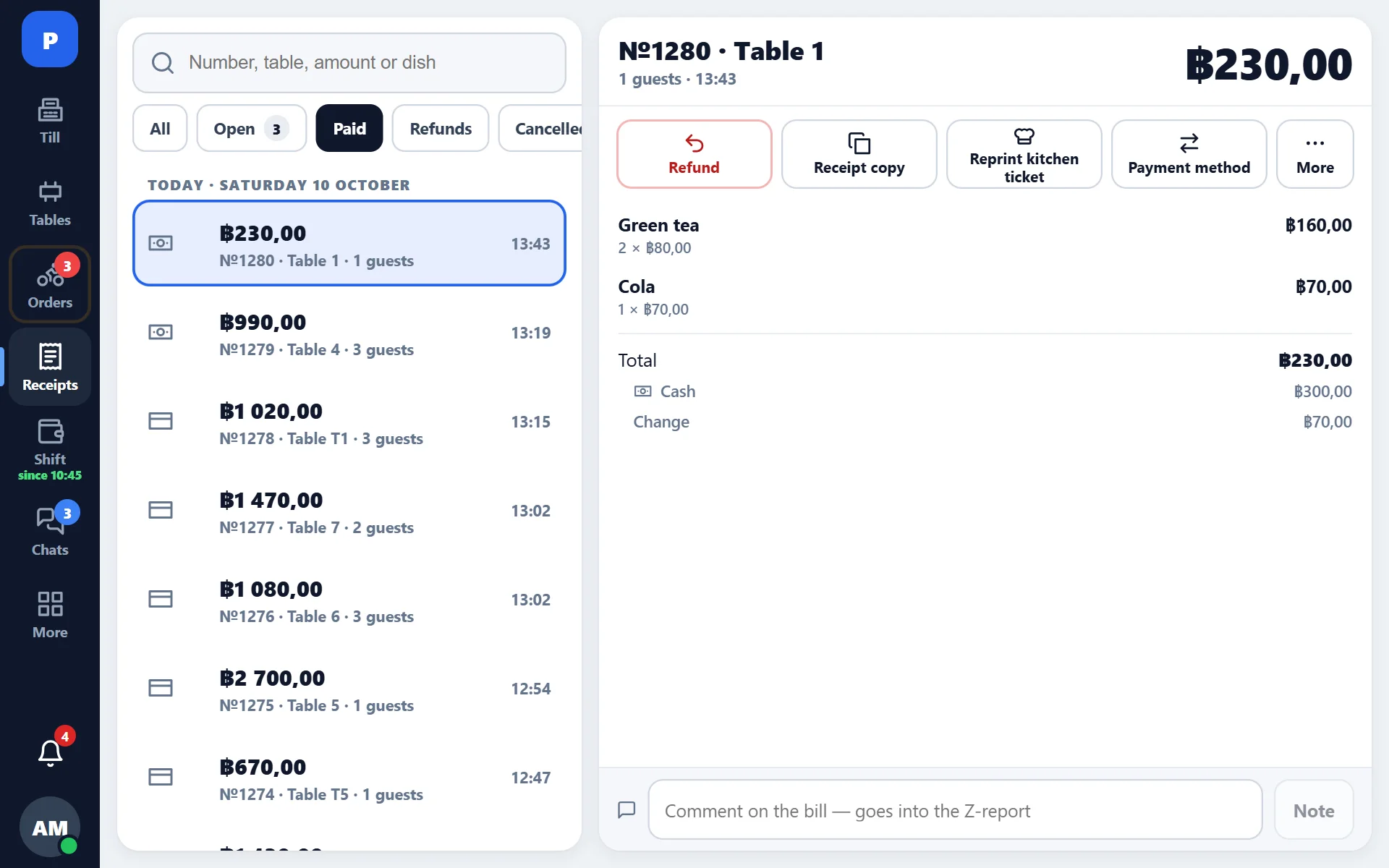
What you can do
- find a receipt from today or from previous days;
- see its items, payment method, discounts and tips;
- reprint the receipt — the guest lost it or the printer jammed the paper;
- make a refund in full or by item;
- see who closed the receipt and at what time.
Search
A receipt is searched by number, amount, table and time. Website orders are marked with their source — they are visible separately from dining-room orders.
Reprinting
The same receipt that came out the first time is printed, marked as a reprint. This matters when investigating: two identical receipts in the guest’s hands do not turn into two sales in the report.
What is not here
A closed receipt cannot be changed: not its items, not its amount, not its payment method. The only correction is a refund and a new sale. The reason is simple: yesterday’s report must show the same thing tomorrow.