Paying for an order
Payment methods, mixed payment, tips, change, closing without payment and protection against double charging.
The payment screen opens from the order. On the left — the amount due and the breakdown, on the right — the payment methods.
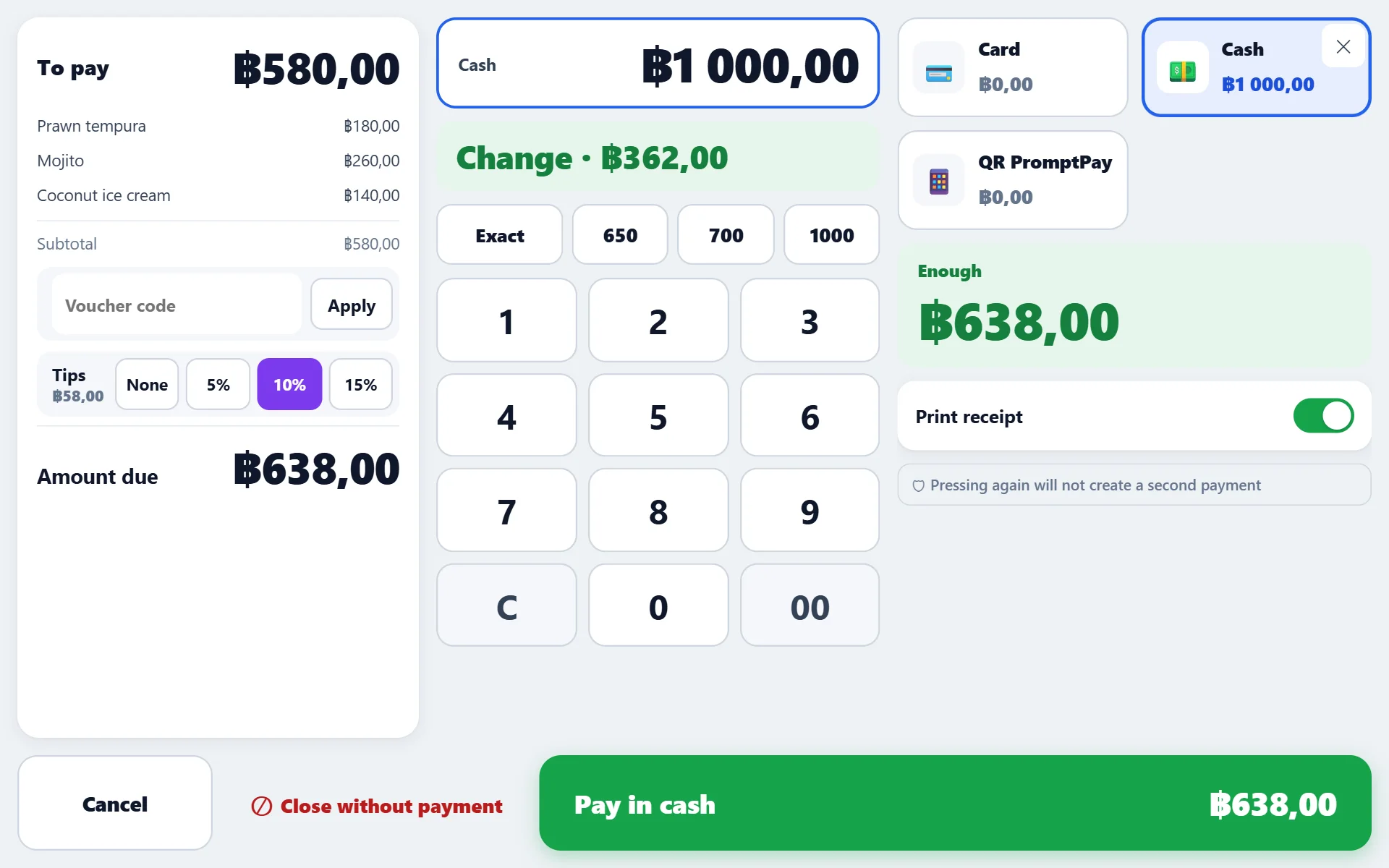
Normal payment
- Choose a payment method — cash, card, transfer, online.
- For cash, enter the amount received: the register calculates the change. Quick amounts are offered based on the total, not “always 1000”.
- Press “Pay”. The receipt prints, the cash drawer opens, stock is deducted.
Mixed payment
The guest pays partly by card, partly in cash: choose the first method, enter the amount, then the second. The remainder is recalculated as you go until the whole total is covered.
Tips
If tips are enabled, the payment screen has quick percentages and a field for a manual amount. Tips:
- are not part of the venue’s revenue — this is the staff’s money;
- are shown as a separate line in the shift and in reports;
- are added to the charged amount when paying by card.
Closing without payment
A treat, a spoiled dish, a hospitality table — the receipt is closed without money, but with a reason and a permission. Such a receipt does not disappear: it goes into reports with zero revenue and into Control — so you can see how much of this there is per month.
Rounding
If total rounding is enabled at the venue, satang are dropped in the guest’s favour (or the other way — as configured). The receipt prints exactly what the guest paid, and the report shows how much the venue conceded over the period.
Protection against double payment
Pressing “Pay” again does not create a second receipt: every payment has its own key, and the server recognises the repeat. This also works offline — a sale that reaches the server after the connection comes back will not be duplicated.
Do not press it twice in a row — wait for the response. There will be no double receipt, but several identical requests in the queue slow the register down at rush hour.
If the payment does not go through
- “no open shift” — open a shift, see Shifts;
- “needs a choice” — the order has an item with an unfilled required choice, most often one that came from the website;
- no connection — the register switches to offline mode and closes the receipt locally, see Working without internet.