Security and sessions
Passwords, sign-ins, active sessions, signing out on other devices and protection against guessing.
Passwords and PINs
They are stored only as an irreversible hash. A password cannot be recovered — it can only be changed via a link sent by email. The same goes for PINs: an administrator cannot see someone else’s PIN, they can only set a new one.
Sessions
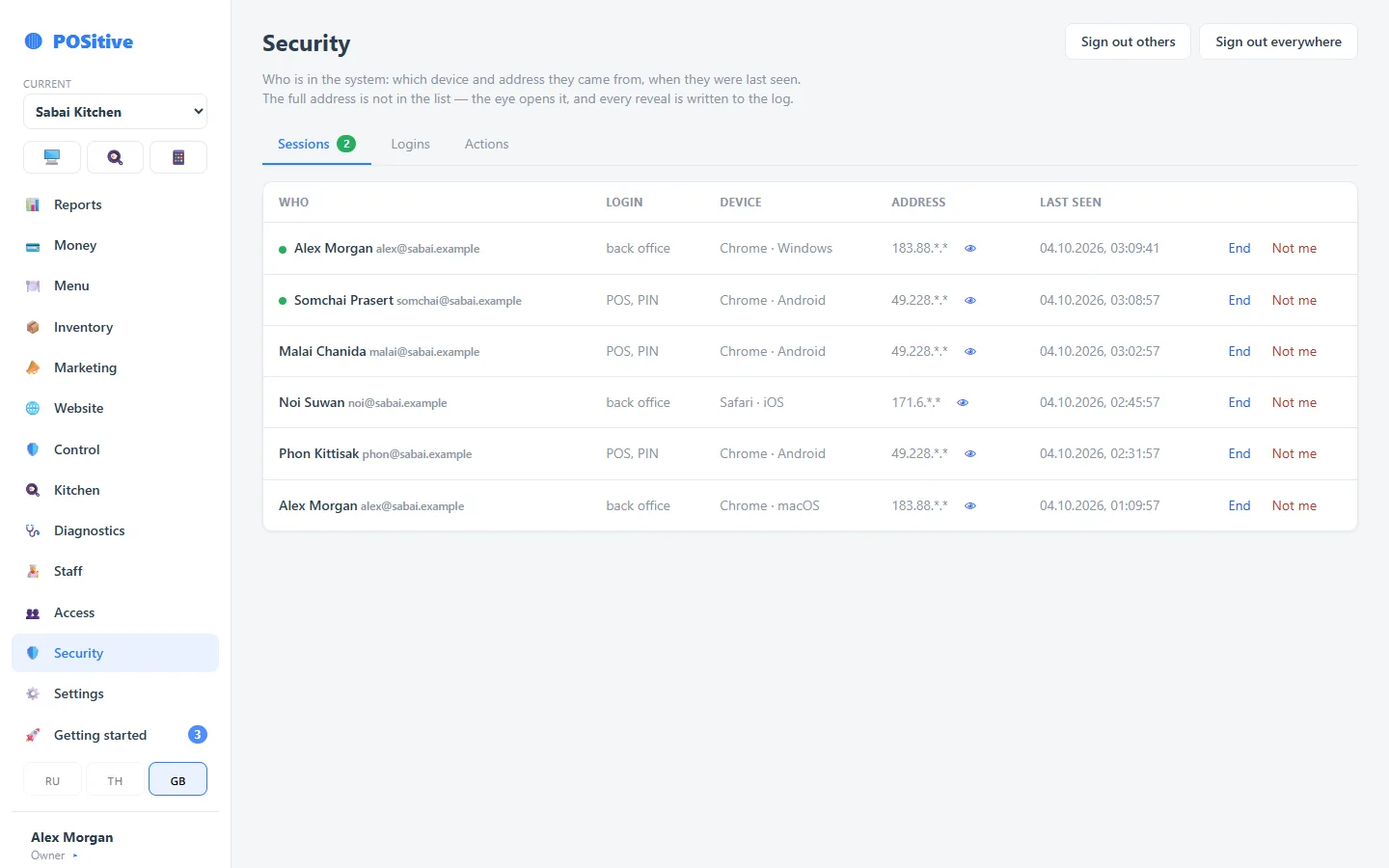
You can see who is in the system right now and from which device: name, back office sign-in or register sign-in by PIN, browser and device, address, time of last activity. The full address is hidden — the “eye” reveals it, and every such view is written to the log.
What you can do:
- “End” a single session — when someone leaves or a phone is lost;
- “Not me” — if you do not recognise a session: it is ended, and the case goes into the log;
- “Sign out others” — close all sessions except the current one: for example, after signing in on someone else’s computer;
- “Sign out everywhere” — close everything, including this tab.
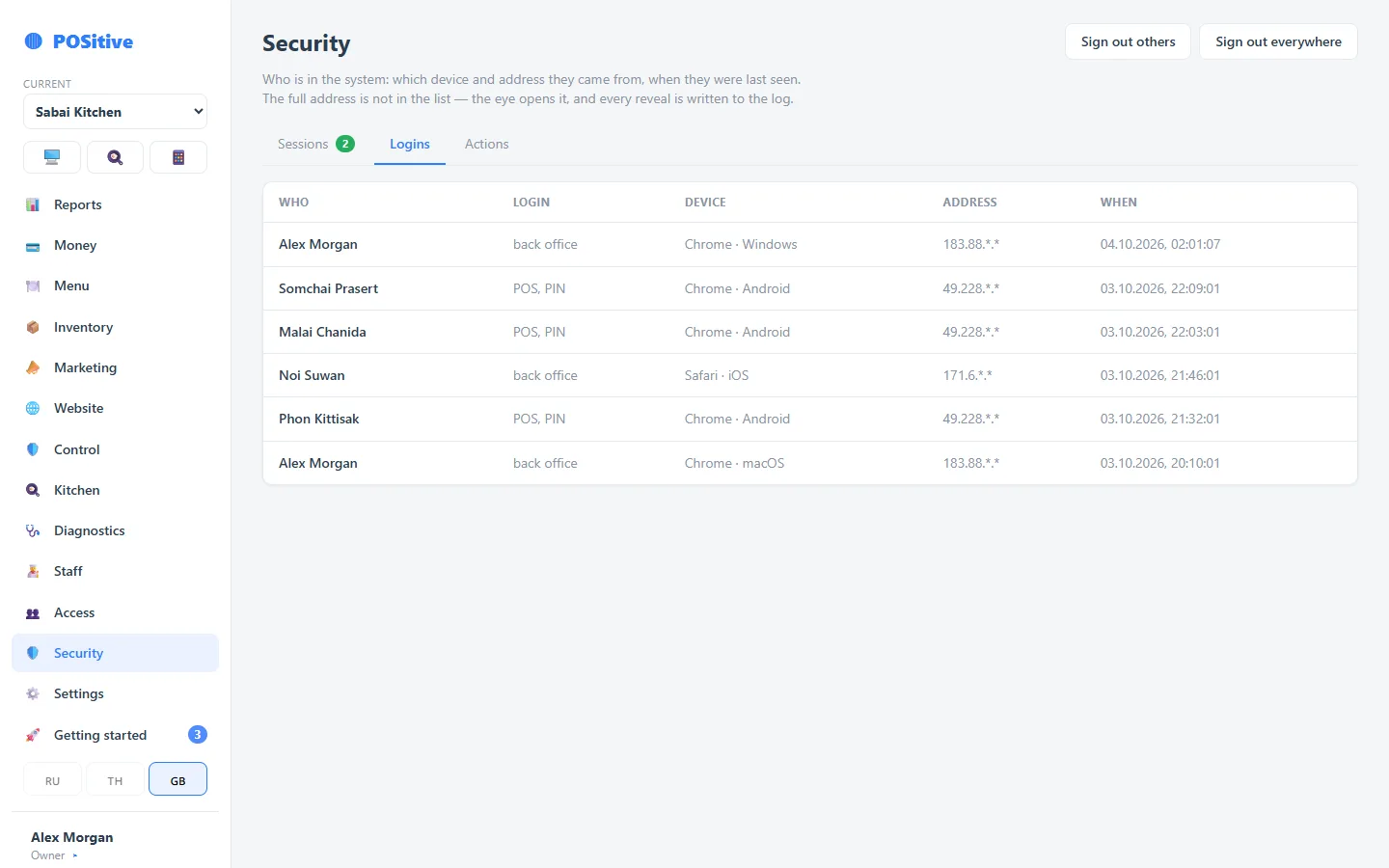
The “Logins” tab holds the sign-in history, the “Actions” tab holds the log of actions in the back office.
Protection against guessing
After several wrong attempts, sign-in is temporarily blocked. This applies to both passwords and PINs.
Sensitive data
Some fields are shown on tap rather than openly on screen — so that a casual glance over the shoulder does not see too much.
What the venue should do
- everyone has their own PIN — otherwise Control loses its point;
- close access on the day someone leaves, not “when we remember”;
- do not share integration keys in group chats: a key is access to the menu and orders;
- do not keep one back office password for the whole family — the action log will show one name for everyone.