Recognising an invoice from a photo
How to turn a photo of an invoice into a ready receipt, what to check before posting and how to shoot with a phone.
Typing in a thirty-line invoice by hand is half an hour of work. A photo cuts it down to a couple of minutes of checking.
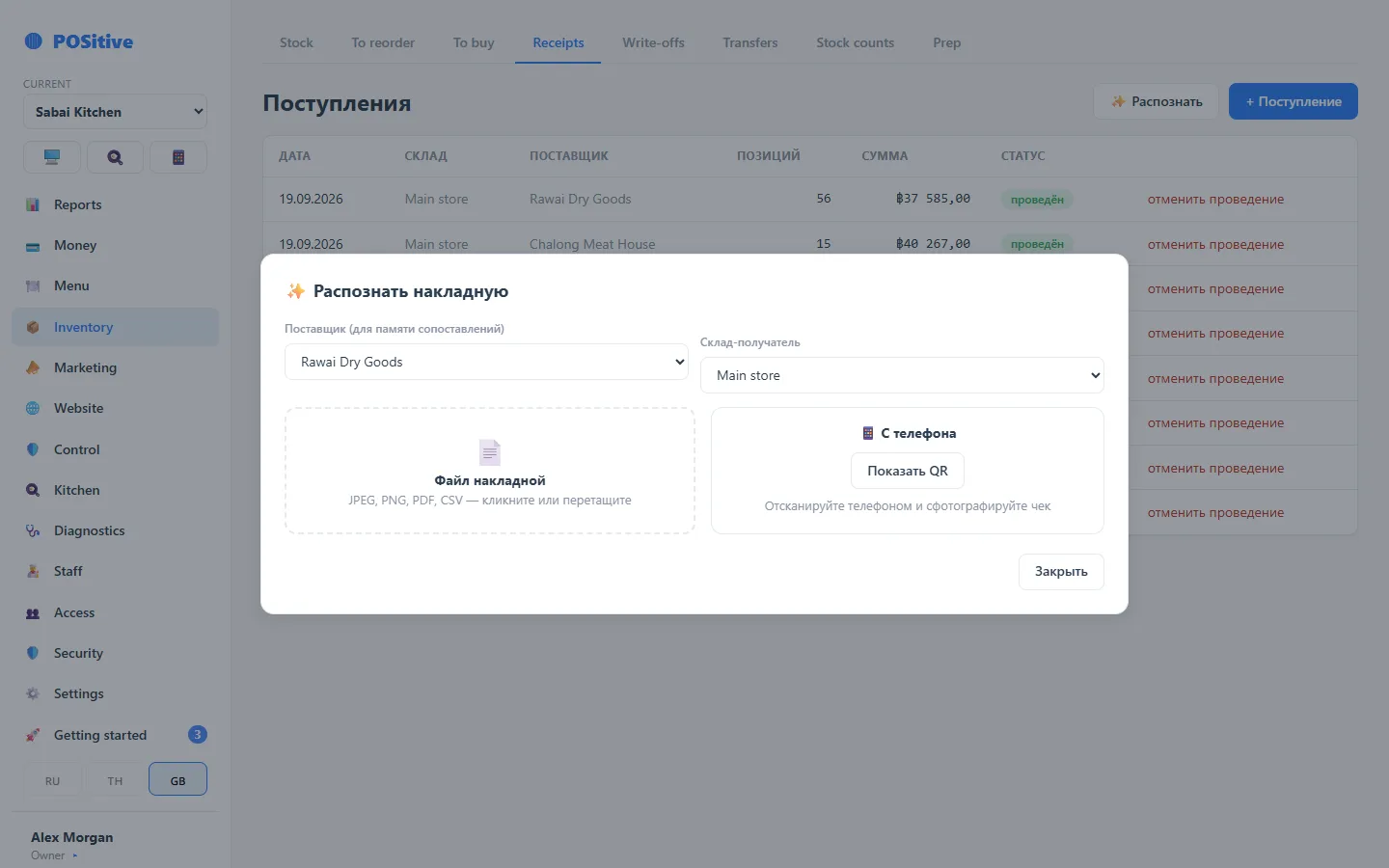
It is not only a supplier invoice that gets recognised: a till receipt from a shop works too, when the cook bought something themselves, and so does a bill sent as an image. The system looks for “name — quantity — price” lines in the image, not for a particular document form.
How it works
- Open goods receiving and take a photo of the invoice — on the tablet or with a phone via a QR code.
- Wait for recognition: the system pulls out the items, quantities and prices.
- Check against the paper. Especially prices and units.
- Link unfamiliar lines to products: the system remembers the link and fills it in by itself next time.
- Post the receipt.
What you must check
- price — a wrong price distorts the cost of every dish with this product;
- unit — kilograms must not turn into pieces;
- total — the sum of what was recognised must match the sum on paper.
A crumpled, faded or skewed invoice is recognised worse. Responsibility for the figures stays with the person who presses “Post”.
Shooting with a phone
If the tablet is far away, tap the QR code in goods receiving and shoot the invoice with your phone — the photo goes into the same receipt.
Limits
Recognition is a separate module, counted by the number of photos per month. How many have already been used is shown in the subscription section.
How to shoot so it works
- straight from above, without tilting;
- the whole invoice in the frame, no edges cut off;
- enough light, no glare from plastic film;
- a long invoice is better shot in two frames than in one from far away.