Transfers between stores
How to move products from the kitchen to the bar or from one venue to another, and what happens to cost.
A transfer decreases the balance in one store and increases it in another. Inside a venue — between the kitchen and the bar; between venues — between the chain’s locations.
How to enter it
- Specify the source store and the destination store.
- Add the items with quantities.
- Post the document.
Cost moves together with the product: the bar receives the salmon at the same average price it had in the kitchen. Otherwise a transfer would create profit out of thin air.
Between the chain’s venues
A common story in a chain: one venue helps another out before the weekend, or a central kitchen delivers preps.
- In a new transfer choose “to another venue”, its store and the items, then post the document — your balance decreases and the document goes “in transit”.
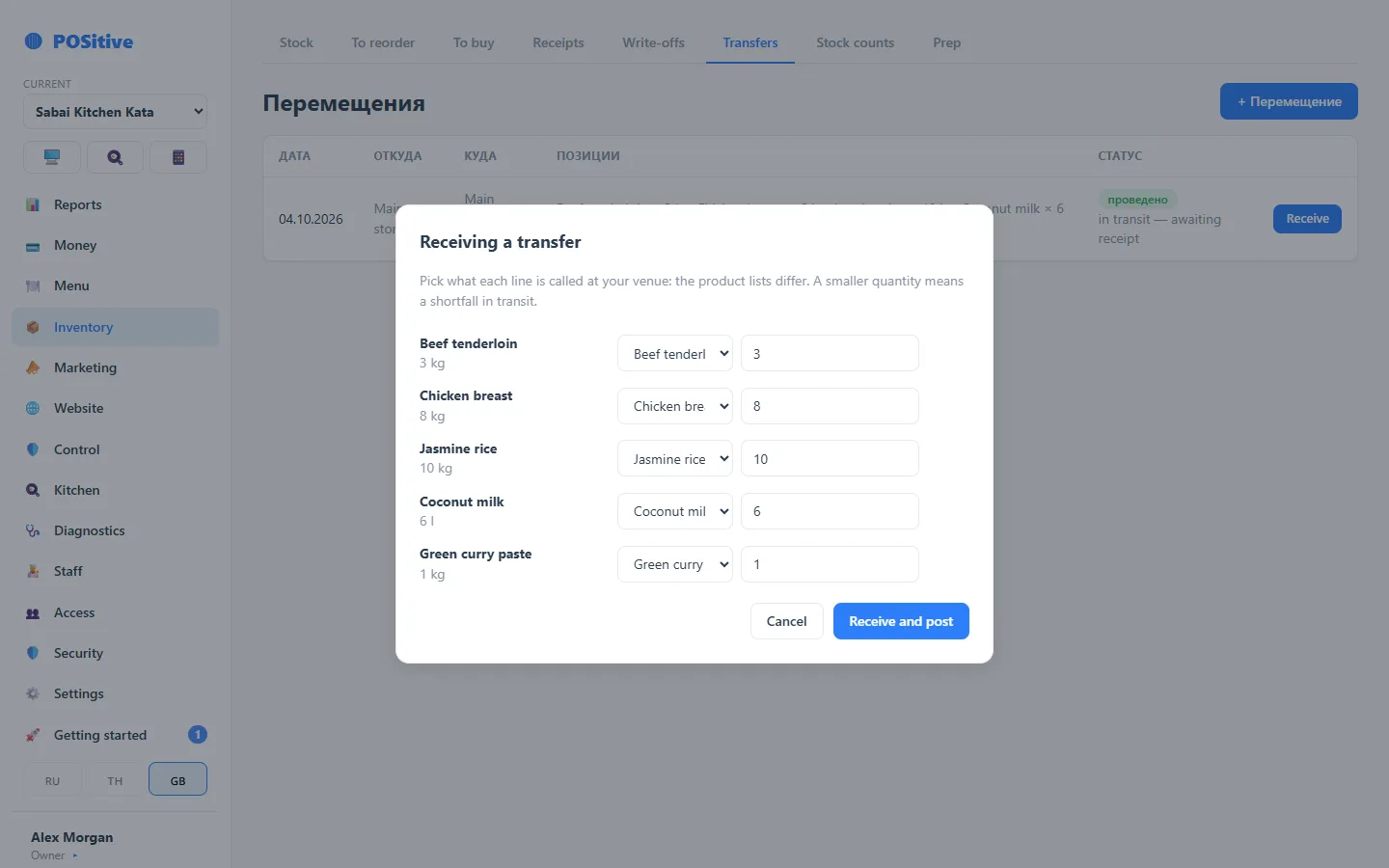
- The receiving venue sees the incoming transfer and presses “Receive”.
- They link each line to their own product card: venues have different product lists, and the sender’s “Jasmine rice” may be called something else at the neighbour’s.
- The default quantity is the quantity shipped. If less was received, the shortage in transit stays visible in the document.
Cost arrives at the sender’s price: the receiver’s food cost is calculated from it. The sender does not choose the receiver blind — the list shows only the venues of their own account and their stores, without balances or prices.
What to check
- a transfer must not take the balance at the source below zero;
- the product must exist in the receiver’s product list — otherwise there is nowhere to receive it;
- if the stores belong to different venues, both sides see the document in their history — until it is received, it stays “in transit”.