အကူအညီ / အစီရင်ခံစာများ
ဤစာမျက်နှာကို မဘာသာပြန်ရသေးပါ — အင်္ဂလိပ်စာသားကို ပြထားသည်။
Sales dashboard
Revenue and profit, average check, guests, breakdown by day, hour, payment method and source.
The main report. It answers the question “how is business going” for any period.
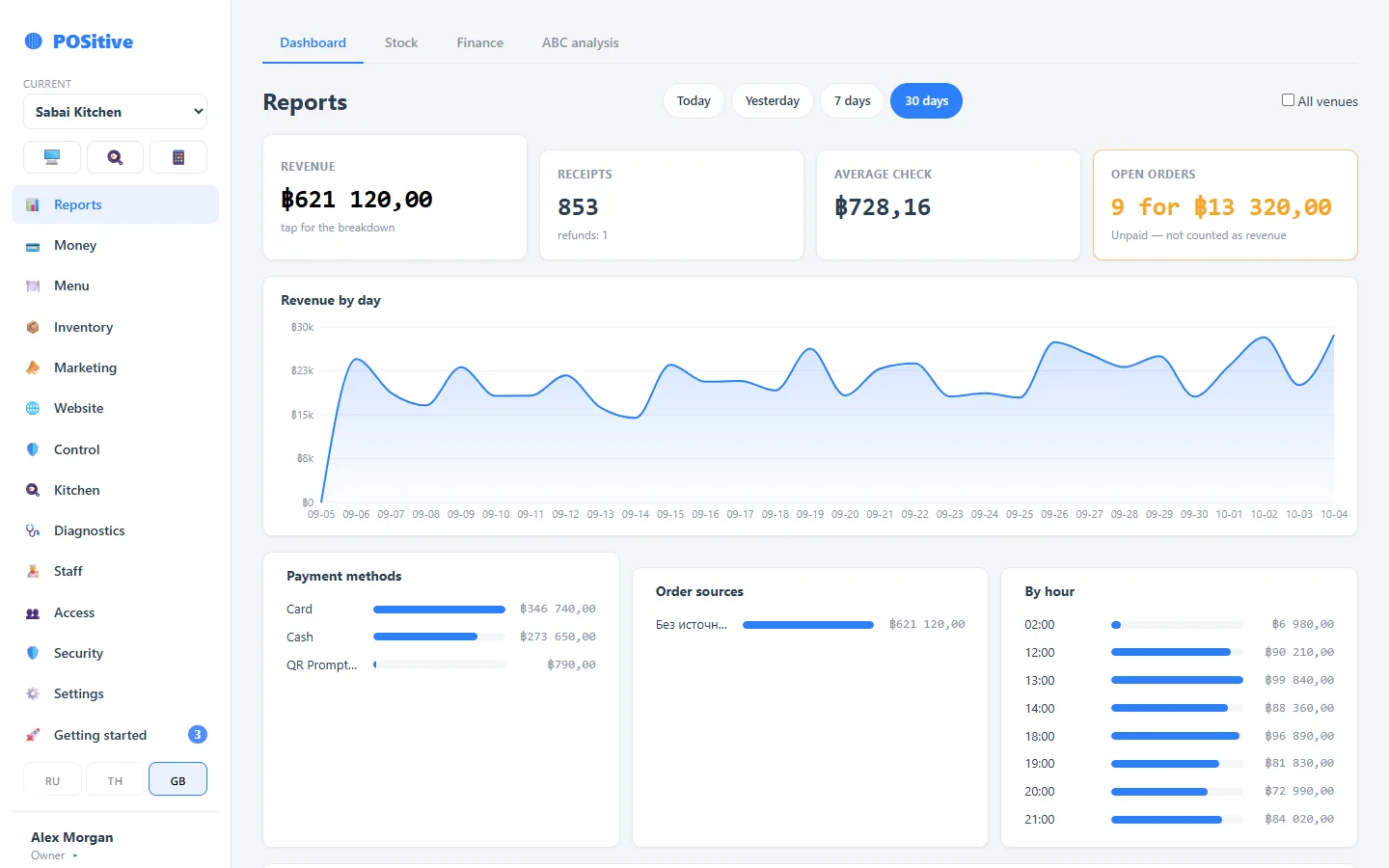
Top figures
| Figure | What it means |
|---|---|
| Revenue | Paid receipts for the period, without tips |
| Profit | Revenue minus the cost of what was sold |
| Margin | Profit as a percentage of revenue |
| Receipts | Number of closed receipts, refunds shown separately |
| Average check | Revenue ÷ number of receipts |
| Guests | If the number of guests is entered with the order |
What is not in revenue
Open orders (not paid yet), tips (staff money) and unsettled aggregator sums. Each of the three is a common reason for the question “why does the report show less than I see in the dining room”.
Breakdowns
- by day — the trend over the period;
- by hour — where the real peak hour is; the shift schedule is built from it;
- by payment method — how much went through cash, card, online;
- by source — dine-in, takeaway, website, aggregator, with campaign UTM tags.
Tax
If tax is collected and remitted, it is shown on a separate line: this is the state’s money, not the venue’s.
Grab and aggregators
Shown as three figures: entered by staff, an estimate minus commission, settled by the platform’s report. Only the settled figure goes into revenue — see The Grab section.
Export
Tables can be exported to CSV — for the accountant or for your own spreadsheet.