အကူအညီ / မီနူးနှင့် ချက်နည်းကတ်
ဤစာမျက်နှာကို မဘာသာပြန်ရသေးပါ — အင်္ဂလိပ်စာသားကို ပြထားသည်။
Dishes: card and list
How to add a dish, what the list columns mean, and the flags for loss-making dishes and dishes without a recipe.
The dish list is the main menu screen. It also answers the question “what are we selling at a loss”.
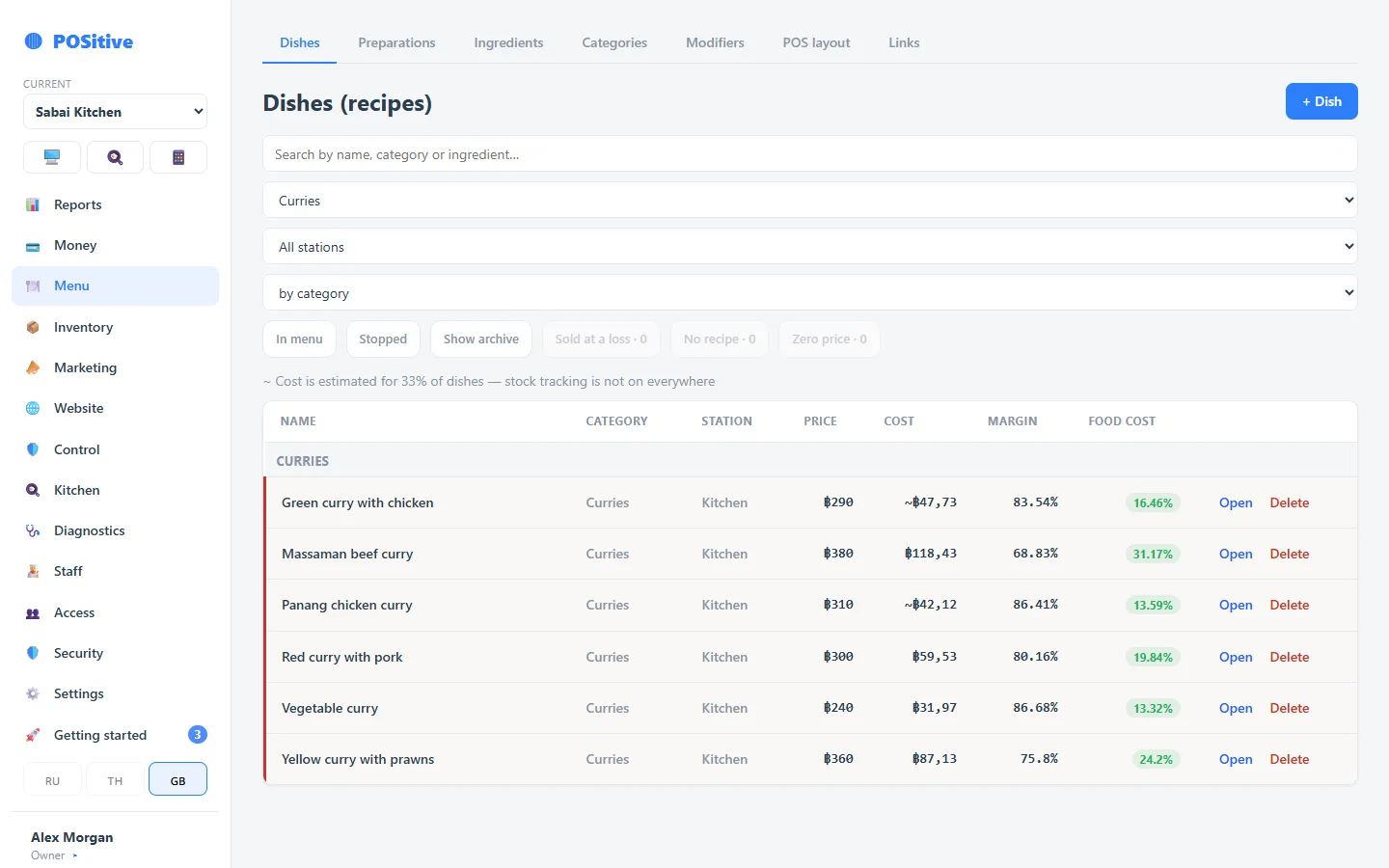
List columns
| Column | What it shows |
|---|---|
| Price | Sale price. For a dish with variants — the base one |
| Cost | Calculated from the recipe at current purchase prices |
| Margin | Price minus cost |
| Food cost | Cost as a share of the price, in percent |
| Station | Where the kitchen ticket is printed |
Flags
- loss — cost is higher than the price; this dish is being sold at a loss right now;
- no recipe — there is no recipe, the cost is unknown, nothing is taken off the stock;
- zero price — the dish exists but has no price, so it cannot be sold;
- bought — cola, beer, water: sold as bought, the cost is the purchase price. Next to it you may see “no purchase price” — then the cost is zero.
The list can be filtered to show only loss-making dishes — the most useful button on the screen.
Dish card
- Name — can be in three languages: for the kitchen, for the receipt, for the guest.
- Category and price.
- Print station — which printer the kitchen ticket goes to.
- Photo — shown at the register and on the website storefront.
- Ingredients — the recipe the cost is calculated from. If the item is not cooked but bought ready-made, a purchase price replaces the ingredients.
- Modifiers — choice and add-on groups.
- Variants — sizes and portions with their own price.
Extras
- prep time — used in website orders to tell the guest a realistic time;
- allergens — shown in the menu and on the storefront if enabled in the settings;
- tax — a dish can have its own rate if it differs from the general one;
- quick notes — ready-made comments for the cook that the cashier adds with one tap.
Hidden and stopped
- a hidden dish is not shown at the register but stays in the system;
- a stopped dish is on the stop-list and comes back with one tap.
Why a dish is not visible at the register
Check in this order: does it have a price → is it hidden → is it on the stop-list → is it in the right category → is it archived.