Tables, dining areas and bookings
The floor plan, opening an order at a table, moving guests, multiple bills and the booking log.
A floor plan is needed where guests sit down. A coffee shop or fast food does not need one — orders are taken at the counter as takeaway, and the floor plan is simply switched off in the settings.
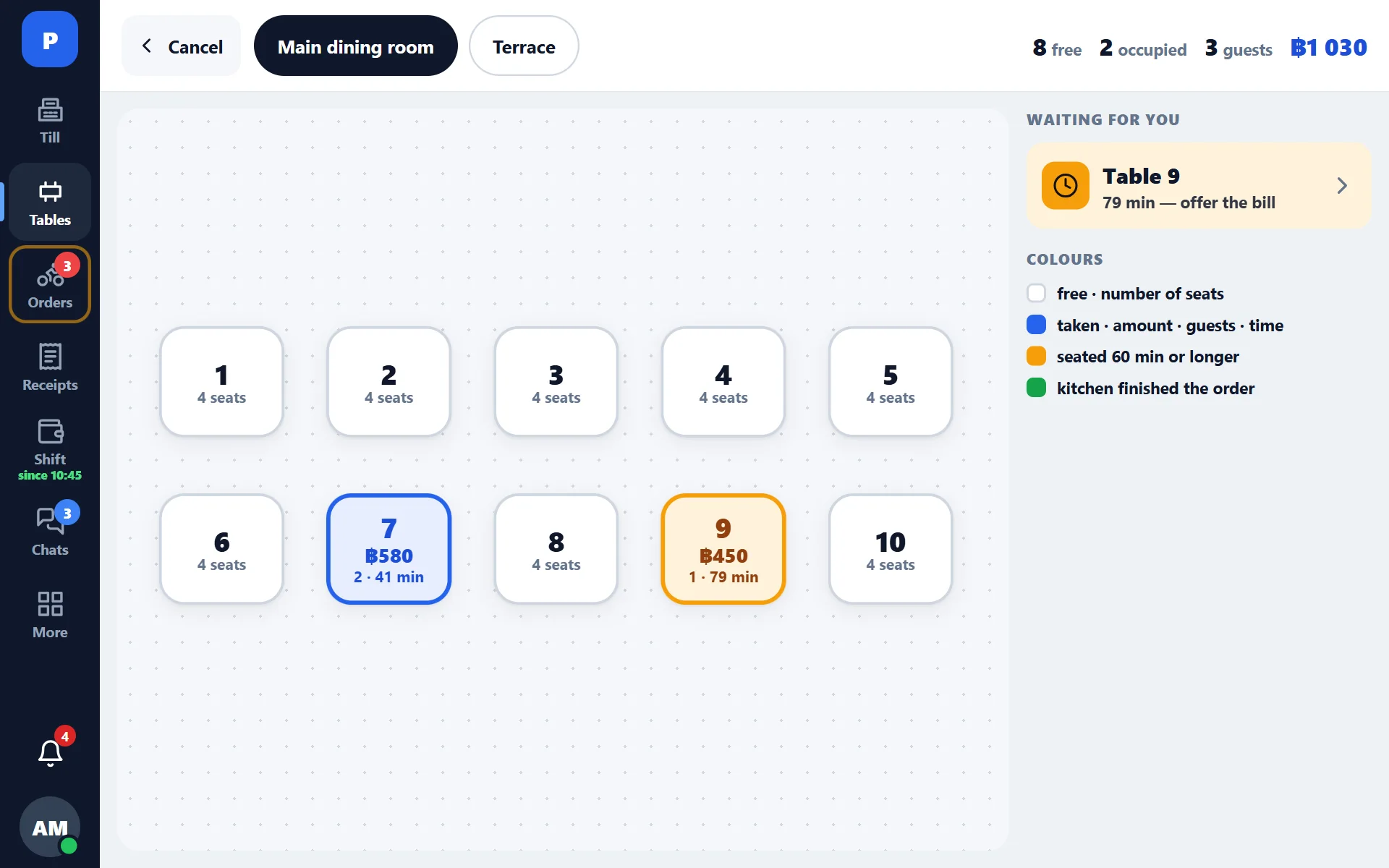
What the plan shows
- occupied and free tables;
- how long the guests have been at the table;
- the current order total;
- which dining area the table belongs to — there can be several (main hall, terrace, second floor).
How to work
- Tap a free table — a new order opens.
- Enter the items and send them to the kitchen.
- The order stays open: you can come back to it from any register in the venue.
- When the guest asks for the bill, open the table and go to payment.
Moving guests
The guests moved to another table — the order is moved in full, together with the items already sent to the kitchen. The kitchen does not need anything reprinted.
Several orders at one table
Two groups can sit at a large table. The register lets you keep several orders at one table and close them separately, instead of merging them into one bill.
The reverse operation is the split bill: one order is divided between guests at payment.
Bookings
Bookings are kept in the admin panel: the guest’s name, time, table, number of guests, comment. A paper log is no longer needed, and the manager on the next shift sees the same as the previous one.
Pre-bill
Before payment you can print a pre-bill — a bill for the guest to check the amount. A pre-bill does not close the order and does not count as a sale.