Receipts in the back office and the receipt card
Finding receipts, what the card shows, the event log, related operations and refunds.
The “Receipts” section is the venue's whole sales history, with filters by date, amount, employee, payment method and source.
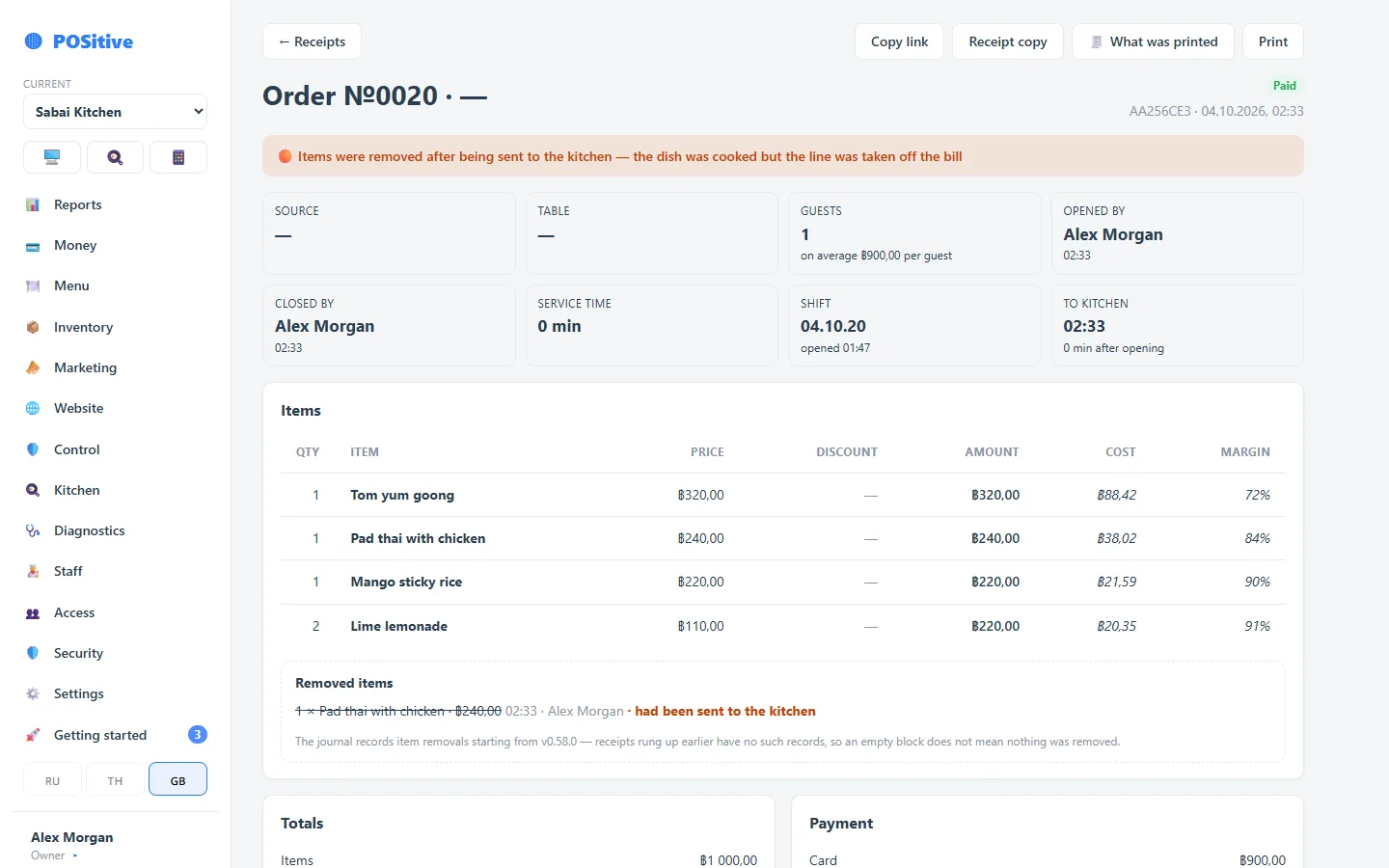
The receipt card
It opens everything known about the sale:
- the items with prices, discounts and modifiers;
- payment methods and the amount for each;
- tips, delivery, tax;
- who opened the order and who closed the receipt;
- the table and source — dine-in, takeaway, website, aggregator;
- the cost and margin of this sale.
Event log
Below is a feed of what happened to the receipt: opening, adding items, sending to the kitchen, removing an item, a discount, payment, printing, a refund. With names and times.
Events are linked by a chain of checksums: each entry “signs” the previous one. Changing a past event without breaking the chain is impossible — and that shows up on verification.
What was printed
The card shows exactly what came out of the printer — the guest receipt and the kitchen tickets. Useful when investigating: “the guest got the wrong printout” is checked in seconds.
Refund from the back office
A refund can be made from here as well — in full or by item, with a reason and the permission. The result is the same as at the register.