Shifts and the Z report
Opening a shift with a float, cash in and cash out, counting cash, the difference and printing the Z report.
A shift is the register’s working day: everything sold between opening and closing belongs to it. Without an open shift a receipt cannot be closed.
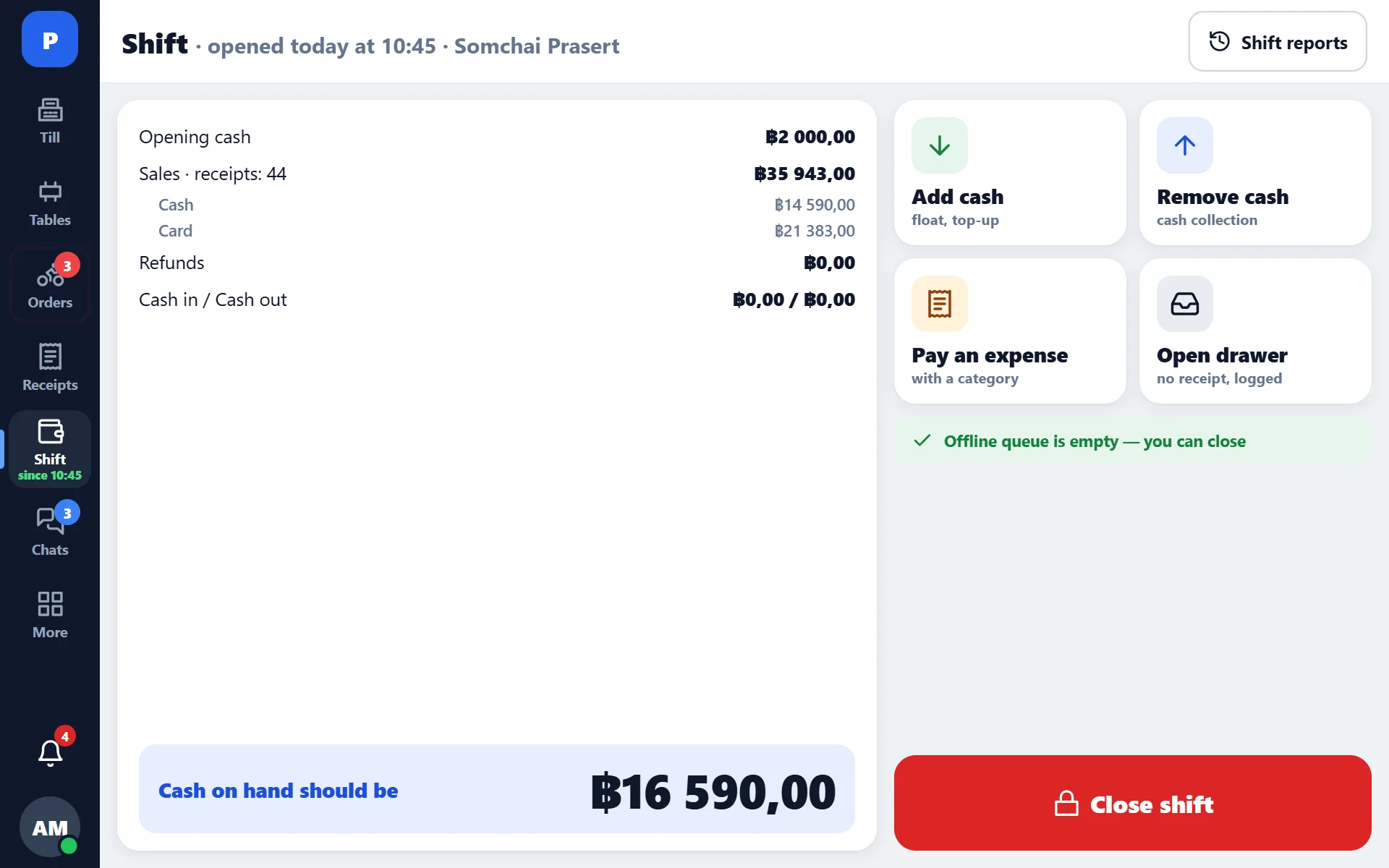
Opening
When opening, you enter the float — the cash in the drawer at the start of the shift. The amount is pre-filled from the venue settings and can be corrected.
A shift is opened for the venue, not for a register. A second register picks up the same shift: receipts are shared, there is one Z report, broken down by employee. This is configurable — there is also a “shift per employee” mode.
Cash in and cash out
- cash in — money was put into the drawer (change was made, cash was topped up);
- cash out — money was taken out (collection, a courier was paid, money was handed out for purchasing).
Every operation has an amount, a reason and an author. This is where the answer to “why doesn’t the cash add up” is found most often.
Closing
- Count the cash in the drawer.
- Enter the actual amount — the system shows how much there should be and calculates the difference.
- Check the breakdown by payment method: cash, card, transfers, online.
- Close the shift — the Z report prints.
What is in the Z report
- revenue by payment method;
- number of receipts and average receipt;
- discounts, refunds, closings without payment;
- tips as a separate line;
- float, cash in, cash out;
- cash difference;
- breakdown by employee.
The language of the Z report is set separately — for example, Russian and English at the same time.
Difference
The difference is calculated by the system, not by the cashier. If there is one, look in this order: cash out and cash in → refunds → closings without payment → items cancelled after the kitchen. In four cases out of five the answer is in the first step.
X report
An interim report without closing the shift — to see how much has been taken by this hour. It can be printed any number of times.
If someone forgot to close the shift
The register reminds you about an unclosed shift based on the venue’s working hours. A shift can also be closed from the back office — for example, if the tablet was left at the venue and the manager is already home.