The website orders panel
How an order arrives, what “seen” and “accepted” mean, choosing the cooking time, rejecting and printing the ticket.
Website and aggregator orders arrive in a separate panel at the register. The panel opens from the register menu, and its button shows a counter of new orders.
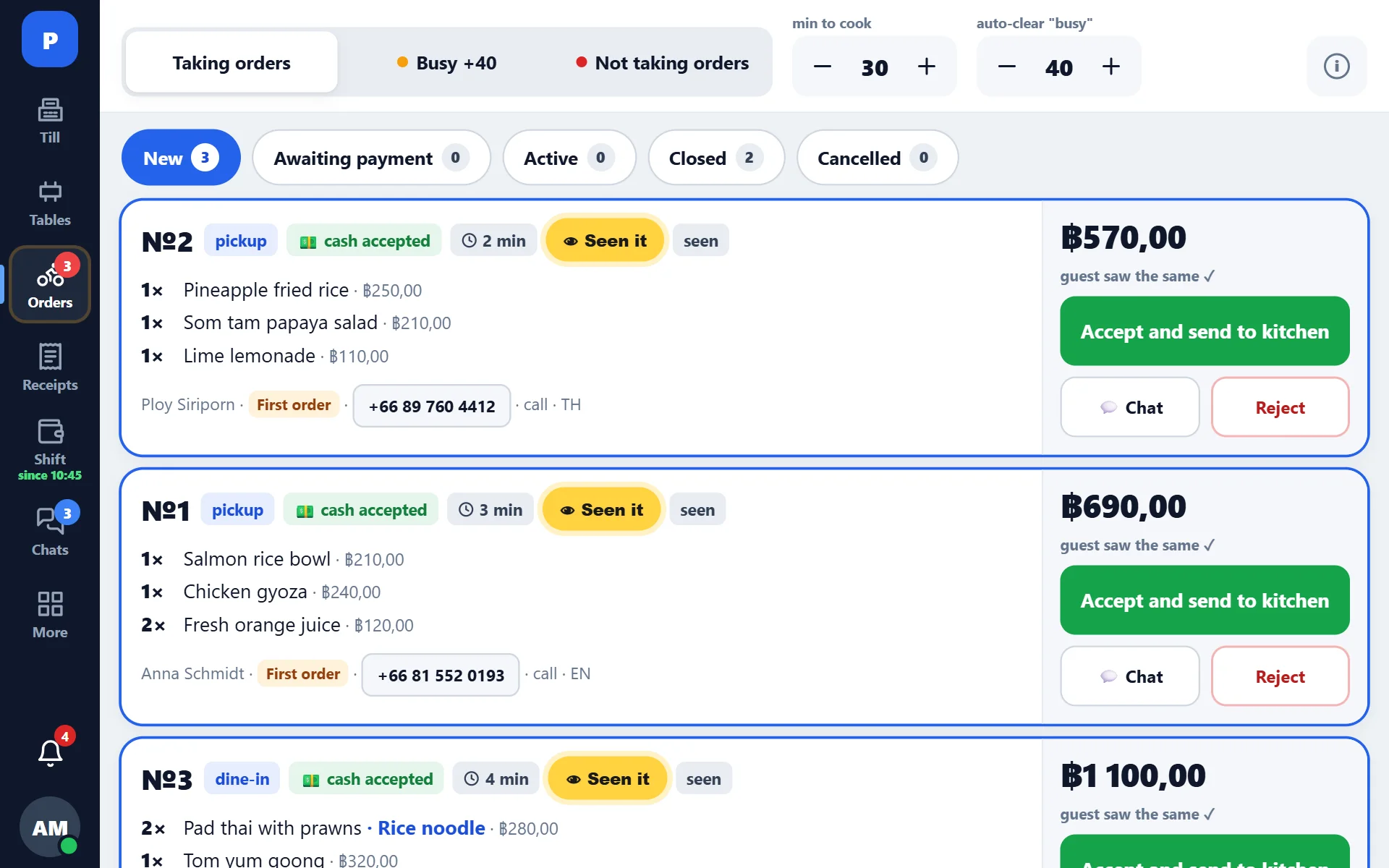
What an incoming order looks like
A new order makes a sound: the signal repeats until the card is opened. You can upload your own sound in the settings — in a noisy dining room the standard one gets lost.
The card shows: the number, items, total, type (delivery or pickup), time, the guest’s comment and the address.
If the venue has an admin lamp connected, an order not accepted within 15 seconds switches it on, and a yellow “Seen it” button appears on the card. It switches the lamp off but does not accept the order: it is for when the order has been noticed but cannot be accepted straight away.
Seen and accepted
These are two different states, and the difference matters:
- seen — the order has been shown on screen: the panel marks this by itself as soon as the “New” tab is open. The guest sees that the order has been noticed;
- accepted — the order has been confirmed with a cooking time. Only after that does it go to the kitchen.
- Open the card of the new order.
- Check the items and the address.
- Press “Accept” and set the cooking time.
- The ticket goes to the kitchen, and the guest gets the status.
Rejecting
If the order cannot be fulfilled, it is rejected with a reason. The guest learns about it on their page, not after an hour of waiting. Before rejecting, it is worth writing to them in the chat — offering a substitute is often enough.
If the order has “needs a choice”
Sometimes the website sends a dish that has a required choice at the register (for example, doneness), and the guest did not specify it. The register does not throw such an order away and does not close it silently: the manager sees a task and picks the option themselves after checking with the guest.
Money
An order paid on the website arrives marked as paid, and the payment method is filled in from the mapping — see Website payment map. An unpaid order is closed at the register as a normal receipt.
What the panel does not do
The panel does not replace the register: the order still becomes a normal receipt with stock deduction and printing. It only removes the manual transfer between the website and the register.