Refunds
Full and partial refunds, returning money and products, who has the permission and what goes into reports.
A refund is made from the receipts screen at the register or from the back office. It requires a permission and, as a rule, a confirmation PIN.
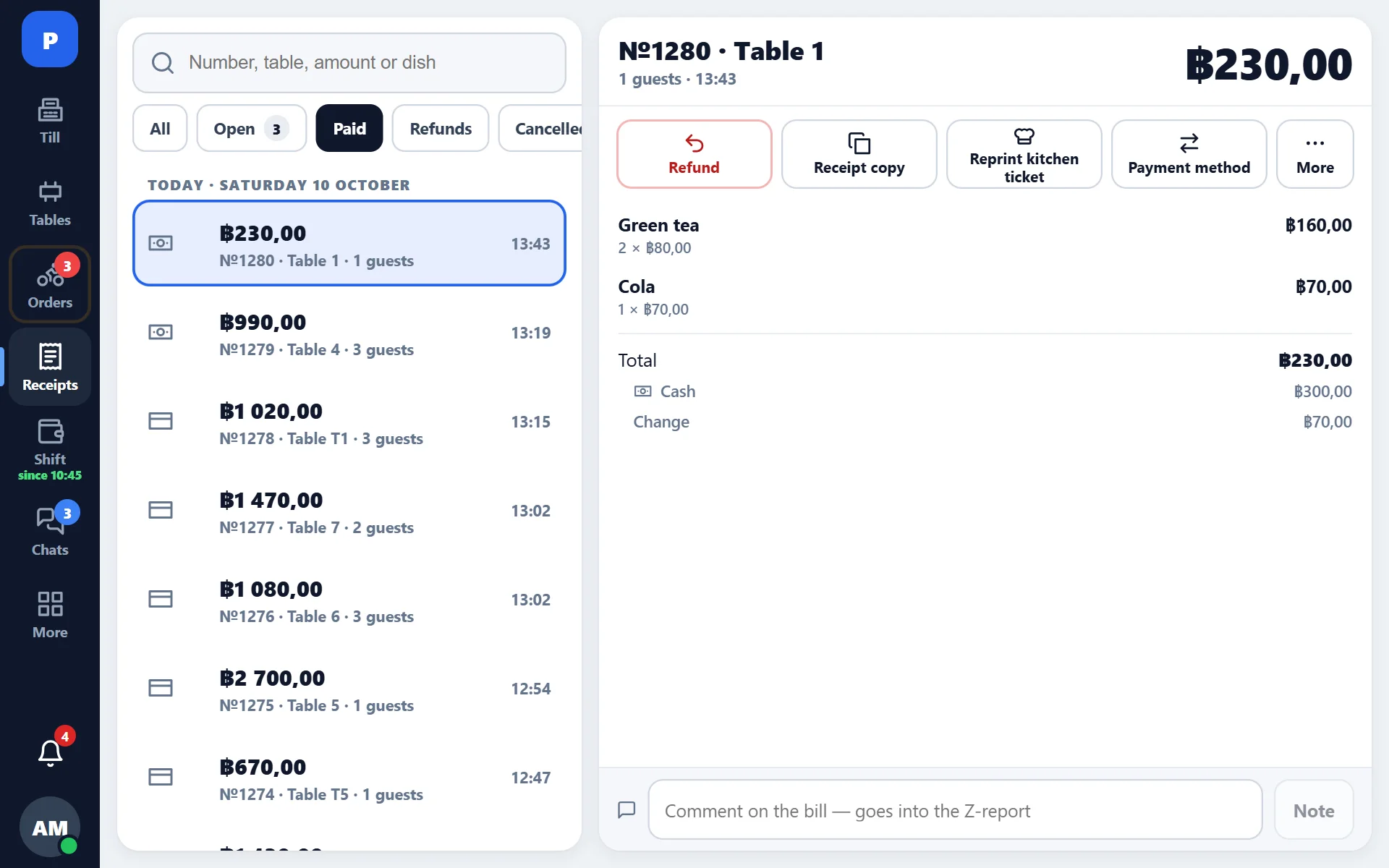
Full refund
Find the receipt, open it and choose “Refund”. The money is returned the same way it was received, the products go back to stock, and a refund receipt is printed.
Refund by item
The guest turned down two rolls out of seven — only those are refunded. The rest of the receipt stays closed and in revenue.
- Open the receipt on the receipts screen.
- Choose “Refund” and tick the items with their quantities.
- Enter the reason — it goes into the log and into reports.
- Confirm with the PIN of an employee who has the permission.
What happens to money and stock
- the day’s revenue goes down by the refund amount;
- the products go back to stock according to the same tech cards;
- the operation is written to the log with the author, time and reason;
- in the shift the refund is shown as a separate line, not as a “minus in revenue”.
Refunding an offline sale
If the receipt was rung up without a connection and has not reached the server yet, the refund still goes through. The server will later link the sale and the refund correctly — no second receipt will appear.
What you cannot do
A receipt cannot be deleted either at the register or in the back office — this protects the history. A mistaken receipt is closed with a refund, and that stays visible. This is by design: a missing receipt cannot be investigated, but a refund with a reason can.