Turning tracking on step by step
How to turn stock tracking on one product at a time, what the tracking flag does and where to start.
Full stock tracking from day one is rarely achievable: you would need to add every product, every recipe and count everything. That is why tracking is turned on gradually.
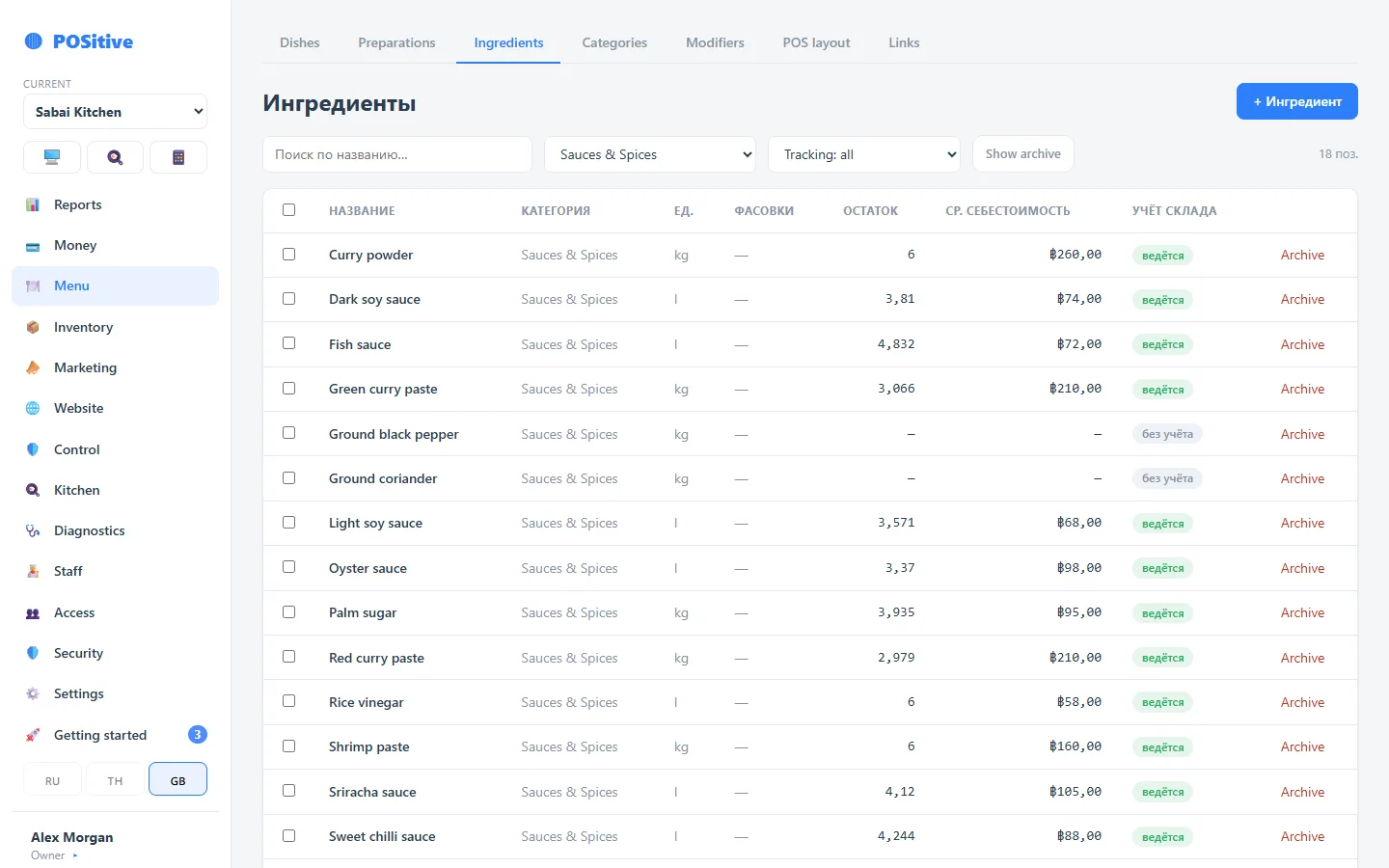
A tracking flag on every product
The switch is in the card of each ingredient, not one for the whole system. This is the main difference from the usual “stock is on — now add everything”.
A product with tracking turned off:
- creates no movements when sold — its usage is not counted anywhere;
- does not take part in stock counts and does not appear on count lists;
- needs neither a recipe nor a starting balance;
- counts in cost as zero or as a fixed price per unit — whichever suits you;
- does not get in the way of the dishes it is in: they sell as usual.
A product with tracking turned on behaves as a full stock item: it is written off by recipes, needs counting and affects food cost.
In the systems we worked with before, tracking is turned on for everything at once. To get even one honest figure, you have to add every product, every recipe and count the whole store — and until then the balances are wrong and nobody uses them. That is exactly why stock is so often “rolled out” for months and abandoned halfway.
A switch on every product breaks the job into parts that really get finished, and each one starts paying off straight away.
How to tell whether a product is tracked
The ingredient card shows the state of the switch, and the product list marks the ones that are not tracked. There you can also turn tracking on or off for several marked items at once.
If a dish “for some reason does not write off products”, this is the first place to look: most often one of the ingredients was left untracked.
Order of turning it on
- Choose the category you are starting with — usually the bar or the most expensive kitchen group.
- Add its products and pack sizes.
- Make recipes for the dishes in this category.
- Do a stock count for these products — this gives the starting balance.
- Turn tracking on.
- A week later, compare the calculated balance with reality.
The tracking assistant
Tracking does not have to be turned on blind: the assistant checks that the product has a balance and recipes, and offers to choose how to start — do a stock count for this item or start from zero.
Starting from zero makes sense for a product you are going to buy in the next few days anyway: the first receipt will set both the balance and the price.
Going back
Tracking can also be turned off. No data is lost: movements, receipts and history stay, the product simply stops being written off and taking part in counts.
This is a normal move when an item turns out to be too small to bother with: salt and toothpicks are more honestly kept untracked than carrying a permanent difference.
New products
There is a setting “New ingredients are stock-tracked”. During the transition period it is usually kept off, and afterwards turned on so you do not forget.
Starting with spices is pointless: their share of cost is small and the effort is large. Start with what is expensive and goes fast: fish, meat, cheese, alcohol.